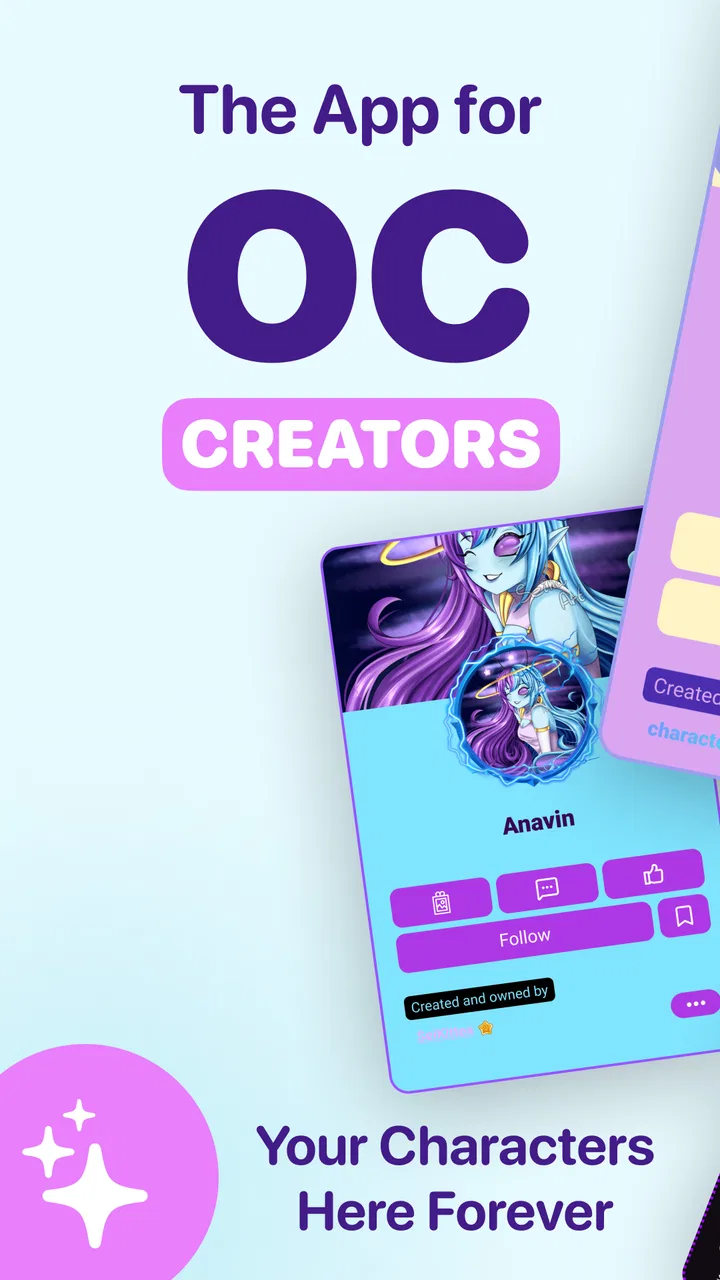
CharacterHub: OCs, Art, Lore
- 4.7
- Rating
- 10.00K
- Installs
- Free
- Price

 Analysis by App-foxy
I approached CharacterHub: OCs, Art, Lore as a place to keep creative ideas together rather than as a conventional drawing editor. That distinction matters. The app sits in the Art & Design category and is made by CharacterHub, but its appeal is less about replacing a full desktop illustration program and more about giving original characters a home where their visuals, descriptions, and evolving details can stay connected.
That makes it interesting for anyone who invents characters regularly. I often end up with a sketch in one app, a paragraph of backstory in a notes file, and a reference image buried in my photo library. A character-focused workspace can reduce that scattered feeling. In my experience, the real value here comes from continuity: opening a character and seeing the creative thread instead of trying to reconstruct it from several unrelated places.
The app is free to start, carries a Teen content rating, and has reached over ten thousand installs. Its average rating is 4.7 from dozens of ratings, which suggests a positive early response, although I would still treat that as a small sample rather than proof that it will suit every artist. The current version is 1.296, and it runs on Android 8.0 or later. Optional purchases range from $0.99 to $199.99 per item, so I would pay attention to any purchase screen before committing to extras.
You May Also Like

 AccuWeather: Weather Radar
AccuWeather Review: A Quick, Clear Forecast for Everyday Decisions
For everyday plans, the best forecast is the one you can understand quickly. AccuWeather makes rain timing, radar, and local conditions easy to act on, with a few trade-offs.

 Hill Climb Racing
Why Hill Climb Racing Still Turns Crashes Into One More Run
A tiny car, a bumpy hill and one more upgrade: Hill Climb Racing keeps resurfacing because its simple chaos makes every near-miss feel personal.

 AliExpress - Shopping App
AliExpress Makes Global Shopping Feel Personal, but Shoppers Bear the Risk
AliExpress turns a global marketplace into a pocket-sized discovery engine. Its reach is useful, its shopping loop compelling, and its trade-offs easy to miss.

 Lords Mobile: Kingdom Wars
Lords Mobile Is a Kingdom-Building Routine, Not a Quick Match
A case-by-case verdict on the building, battles, device demands, and social commitments that make Lords Mobile rewarding for some players and exhausting for others.

 PDF Scanner app - TapScanner
TapScanner Makes Paperwork Easier to Capture, Check, and Share
TapScanner makes scanning with a phone feel less like a rescue operation and more like a dependable step in getting work done. Its capture tools are useful, though not flawless.

 Block Blast!
Block Blast! Shows How Much a Puzzle Game Can Leave Out
A quiet grid game shows why puzzle players increasingly value instant clarity, repeatable skill and low-pressure play—and where the genre still needs to catch up.
More From Our News Desk
View All News


How CharacterHub feels when your creative work depends on a connection
I look at the connection as part of the creative handoff, not just a technical detail: an idea may begin offline, become a character update, and only later be ready to share. A useful habit is to decide which parts of that journey need to happen now and which can wait for a steadier signal. That distinction helps me protect creative momentum while keeping the final presentation deliberate.
A character workspace rather than a general art replacement
The first useful mental model is to think of this as a character organizer with an artistic purpose. If you want a highly specialized brush engine, advanced layer control, or the precision of a desktop illustration suite, a dedicated drawing app remains the better tool. CharacterHub: OCs, Art, Lore is more appealing when the character itself is the center of attention and the artwork is only one part of the record.
I find that approach especially practical for original-character projects that change over time. A design may begin as a rough portrait, then gain a revised outfit, a new relationship, a different setting, and a more precise personality. Keeping those ideas associated with the same character can make revision less intimidating. Instead of treating an early sketch as a final statement, I can treat it as one stage in a continuing profile.
There is also a social side to the concept. Sharing original characters is not the same as posting a single finished illustration. A viewer may want to understand the character’s role, history, or visual identity. The app’s focus on making, storing, and sharing gives that broader presentation a natural place, although the usefulness of sharing depends heavily on having a stable connection when content needs to load or leave the app.
Where connectivity becomes part of the experience
The network matters most when I am moving beyond private preparation. Browsing shared material, loading remote content, or sending a character outward can all become less predictable when the signal is weak. I would not plan a creative session around the assumption that every part of the experience will behave the same way without a connection. The sensible approach is to use a reliable network for discovery and sharing, then keep a separate local copy of important artwork and writing.
This is not just a technical concern. Character work is often done in short bursts: during a commute, between classes, while waiting for an appointment, or after an idea arrives late at night. Those are precisely the moments when connectivity can vary. If the app is being used as the only home for a character, a failed load or interrupted upload can turn a quick creative session into troubleshooting.
My practical advice is simple: before starting a major revision, make sure the images and notes you care about exist somewhere you control. That does not reduce the app’s value. It gives the app a safer role as the organized, shareable layer of your character workflow instead of making it the sole backup.
A realistic everyday workflow
Imagine that I am on a bus and suddenly work out how a character’s costume should communicate their personality. I can jot down the idea, prepare a quick visual reference, and use the character’s existing material as a reminder of what has already been established. Later, when I have a stronger connection and more time, I can refine the presentation and share the updated version.
The important trade-off is that the bus ride is ideal for thinking and rough preparation, but not necessarily for every network-sensitive action. A crowded mobile connection can make browsing or uploading frustrating. I would therefore separate the workflow into two phases: capture the idea immediately, then perform the more connection-dependent organization and sharing when the signal is dependable.
That two-stage habit is one of the most useful ways to use a character app. It prevents a temporary network problem from becoming a creative block. It also keeps me from repeatedly tapping a stalled action and accidentally creating duplicate attempts or losing track of which version was meant to be current.
Using it on a phone without making the screen do too much
Mobile character work benefits from short, focused tasks. I would use the phone for checking a character’s identity, adding a concise lore note, reviewing a reference, or preparing something to share. I would be less inclined to use a small screen for a long editing session that demands fine visual judgment. That is not a criticism unique to this app; mobile interfaces naturally favor quick decisions over exhaustive production.
A good phone workflow starts with a naming system. If I have several characters from the same setting, clear names and consistent wording make the collection easier to scan. I would also keep the first description useful at a glance: role, visual hook, and one defining conflict. Longer lore can follow, but a compact opening gives me something practical when I am checking the character in a hurry.
Another useful habit is to distinguish finished art from exploratory material. Marking a sketch mentally as a draft, reference, or final presentation prevents an old image from being mistaken for the current design. This is particularly important when working from a phone, where small previews and quick scrolling can encourage snap judgments.
For artists who already draw elsewhere, the app can fit into a companion workflow. I might create a polished image in my preferred art tool, then use CharacterHub to give that image context and continuity. For artists who only want to draw, that extra layer may feel unnecessary. For writers who need visual anchors, or illustrators who repeatedly lose track of their own lore, it may be exactly the missing piece.
What happens when loading or sharing goes wrong
Connectivity problems are most annoying when they occur at the end of a session. I may have spent time refining a character and then encounter a delay while trying to save, load, or share. The safest response is not to keep making more changes while the app appears uncertain. I would pause, check the connection, wait for the current action to settle, and then verify that the latest version is actually visible before closing the app.
I also recommend keeping important source files outside the app. If a character image took hours to draw, the original should remain in the phone’s storage or another backup location. The same applies to substantial lore. A character platform is excellent for access and presentation, but a separate copy protects the work from connection failures, device problems, or an accidental edit.
Recovery is easier when each session has a clear stopping point. Before leaving, I would review the character’s latest text, confirm that the intended image is attached or displayed, and note any unfinished change in a separate draft note if the connection has been unreliable. That may sound cautious, but it is faster than trying to remember what was lost after a failed update.
There is a creative benefit to this discipline too. It encourages smaller revisions. Rather than rewriting an entire character profile during one uncertain mobile session, I can make one meaningful change, check it, and continue. The result is easier to review and less likely to leave the character in a confusing half-updated state.
Being careful with mobile data and large creative material
Art can be heavier than text, and repeated image activity can make a mobile connection feel much less comfortable than a short lore edit. I would use Wi-Fi for larger uploads, browsing-heavy sessions, and substantial reorganizing whenever possible. On mobile data, I would focus on reading, planning, and small text changes rather than repeatedly refreshing visual material.
This matters particularly for people with limited data plans. The app is free, but free access does not mean every surrounding cost is irrelevant. Data usage, storage, and optional purchases all deserve attention. The purchase range is wide enough that I would never tap through a payment prompt casually. I would first decide whether the extra item solves a real problem in my workflow or merely feels tempting in the moment.
A data-conscious routine also means avoiding unnecessary repetition. If I am checking whether a character has updated, I would give the app time to finish rather than refreshing several times. I would prepare descriptions in a notes app when I know the connection is poor, then paste the finished text when I am ready. This reduces the chance of losing a carefully written paragraph and makes the network portion of the task shorter.
Privacy-minded users may also prefer to think carefully about what they share. Original characters can contain personal themes, unfinished ideas, or material intended only for a small circle. I would review the wording and images before publishing anything, especially when a character is connected to a larger personal project. The app’s sharing focus is useful, but the decision to share should remain deliberate rather than automatic.
How it compares with familiar alternatives
Compared with a standard notes app, CharacterHub: OCs, Art, Lore offers a more natural home for a character-centered collection. Notes are flexible and dependable for quick writing, but they can make images, identity, and world-building feel disconnected. I would still use notes for offline drafting and backup, while using CharacterHub for the more structured presentation and sharing side of the project.
Compared with a cloud photo library, it is more conceptually focused. A photo library is excellent for storing images, but it does not automatically turn a set of references into a coherent character record. If my main need is simply to keep finished artwork backed up, a photo or file service may be more direct. If I want the artwork to sit beside the character’s story and identity, this app makes more sense.
Compared with a full drawing application, the difference is even clearer. A drawing tool wins for brush control, detailed rendering, and precise image production. CharacterHub wins when the work continues after the drawing is finished. I would not replace my favorite art editor with it; I would use it to make the finished image easier to understand, revisit, and share.
Compared with a general social platform, the character-first focus is its strongest advantage. Broad networks can provide a larger audience, but they often encourage one-post-at-a-time browsing. A dedicated character space is better suited to an evolving design with context. The trade-off is that a specialized audience and workflow may feel narrower if I only want casual art posting or immediate discovery.
Who will get the most from it
I think the app is a strong match for artists who maintain several original characters, writers who need visual references beside their lore, role-playing creators, and people building a personal fictional setting over time. It is also useful for beginners who have ideas scattered across screenshots, notebooks, and chat messages and want a single creative destination.
The best results come from users willing to organize. CharacterHub cannot decide which version of a design is canonical or resolve contradictory backstory automatically. I still need to name things clearly, update descriptions thoughtfully, and separate drafts from established details. The app can support a system, but it cannot replace the creative decisions that make the system useful.
I would be more cautious about recommending it to someone who wants a professional illustration suite, a purely offline notebook, or a simple gallery with no additional character context. Those users may find the character-oriented structure more involved than necessary. Someone with strict data limits should also plan around Wi-Fi and keep backups instead of treating the app as the only copy.
Small habits that make the experience better
- Start with a character index in your own mind. Use consistent names and a recognizable first line so related characters are easier to identify on a small screen.
- Separate canon from experimentation. Treat alternate outfits, temporary lore, and rough sketches as exploratory material until you decide they belong to the character’s established identity.
- Write offline, publish online. Draft longer descriptions in a local note when the signal is unreliable, then use a stable connection for the final update.
- Keep originals elsewhere. Store the full-resolution art and important writing in a separate location before relying on the app for organization or sharing.
- Review before sharing. Check whether an image or piece of lore reveals an unfinished idea, personal detail, or version you did not intend to make public.
These habits reveal the app’s real trade-off. It can make a creative collection feel more intentional, but it works best when I approach it as one part of a broader workflow. The app handles the character-facing experience; my own storage, naming choices, and backup routine provide the safety net.
My verdict on the connected character workflow
After using it with connectivity in mind, I see CharacterHub as a focused companion for original-character creators rather than an all-purpose art replacement. Its strongest idea is placing art and lore in the same creative context. That can save time, improve consistency, and make sharing more meaningful than posting an isolated image with no explanation.
The network angle is important enough to shape how I would use it. I would not depend on a weak mobile signal for a major upload or assume that every creative task should happen inside one session. I would prepare ideas wherever convenient, use a stable connection for browsing and sharing, and keep valuable source material backed up. With that approach, connectivity becomes a manageable part of the workflow instead of a constant interruption.
The free starting point makes it approachable, while the Teen rating gives families and younger creators a useful age-context signal. The optional purchases deserve a careful look because individual items can range from small amounts to $199.99. I would explore the core experience first and only consider spending after identifying a specific need.
My recommendation is straightforward: choose it if your characters are more than pictures and you want a dedicated place to develop, store, and present their identities. Skip it if you only need advanced drawing tools, a basic offline notebook, or a simple image backup. For the right creator, the biggest benefit is not another place to upload art, but a clearer way to keep a fictional person’s visual and written identity together.
FAQs for CharacterHub: OCs, Art, Lore
01What is CharacterHub: OCs, Art, Lore used for?
CharacterHub: OCs, Art, Lore is designed for creators who want to organize and present original characters, artwork, stories, worldbuilding notes, and related lore in one place. After exploring its structure, I found it especially useful for artists, writers, roleplayers, and hobbyists who need a central space to develop characters and keep creative information easier to browse and manage.
02Can I create and customize original character profiles?
Yes, the app focuses on building detailed profiles for original characters. You can typically add information such as names, descriptions, personalities, backgrounds, relationships, abilities, images, and story details. This makes it more flexible than a simple gallery, although the amount of customization may depend on the specific tools available in the current version and whether certain features require an account or paid access.
03Can I upload artwork and connect it to my characters or lore?
CharacterHub is built around connecting visual art with the characters and worlds behind it. Users can showcase illustrations and associate them with relevant profiles, stories, or worldbuilding material. This is convenient for keeping references together, but you should review the app’s privacy and content rules before uploading unpublished work, commission material, or artwork that contains information you do not want publicly visible.
04Is CharacterHub suitable for private projects, or is everything public?
The app may support different visibility options, but you should check the settings carefully when creating a profile or publishing content. Some creators use platforms like this to share their characters with a community, while others prefer private development spaces. Before downloading, confirm whether private pages, unlisted content, account controls, and deletion options are available for the type of project you want to manage.
05Is CharacterHub: OCs, Art, Lore free to download and use?
The application can generally be downloaded without an upfront purchase, but availability of advanced tools, storage, customization, community functions, or other features may vary depending on the current plan. In-app purchases or subscription options may apply. I recommend checking the Google Play Store or Apple App Store listing for the latest pricing, supported devices, account requirements, and any limitations before committing your creative library to the platform.
Pros
- Excellent for organizing original characters
- stories
- artwork
- and detailed lore.
- Community discovery makes it easy to find creative inspiration and new characters.
- Customizable character profiles support images
- descriptions
- relationships
- and worldbuilding.
- Useful social features encourage feedback
- sharing
- and interaction with other creators.
- Suitable for both casual character ideas and large
- interconnected fictional universes.
Cons
- The large amount of user content can make high-quality profiles difficult to discover.
- Some advanced customization or community features may require a paid subscription.
- Browsing and loading content can feel slower when profiles contain many images.
- Public sharing requires careful privacy choices if your characters include personal ideas.
- The platform may feel overwhelming for newcomers unfamiliar with OC communities.

CharacterHub: OCs, Art, Lore
Gallery